Breastfeeds
Keep time on each side, or jot down a feed after your baby settles.
Which side was the last feed? When did the nap start? Keep feeds, nappies and sleep together on your phone, even offline.
Free forever on your device.
Optional one-off upgrades. No subscriptions.

Choose what to record for each baby. You can change it as they grow.
Keep time on each side, or jot down a feed after your baby settles.
Record formula or expressed milk, with the amount your baby drank if you know it.
Log a wet, dirty, mixed or dry change. Add a note if there’s something to remember.
Start a timer as they drift off, or fill in the sleep and wake times later.
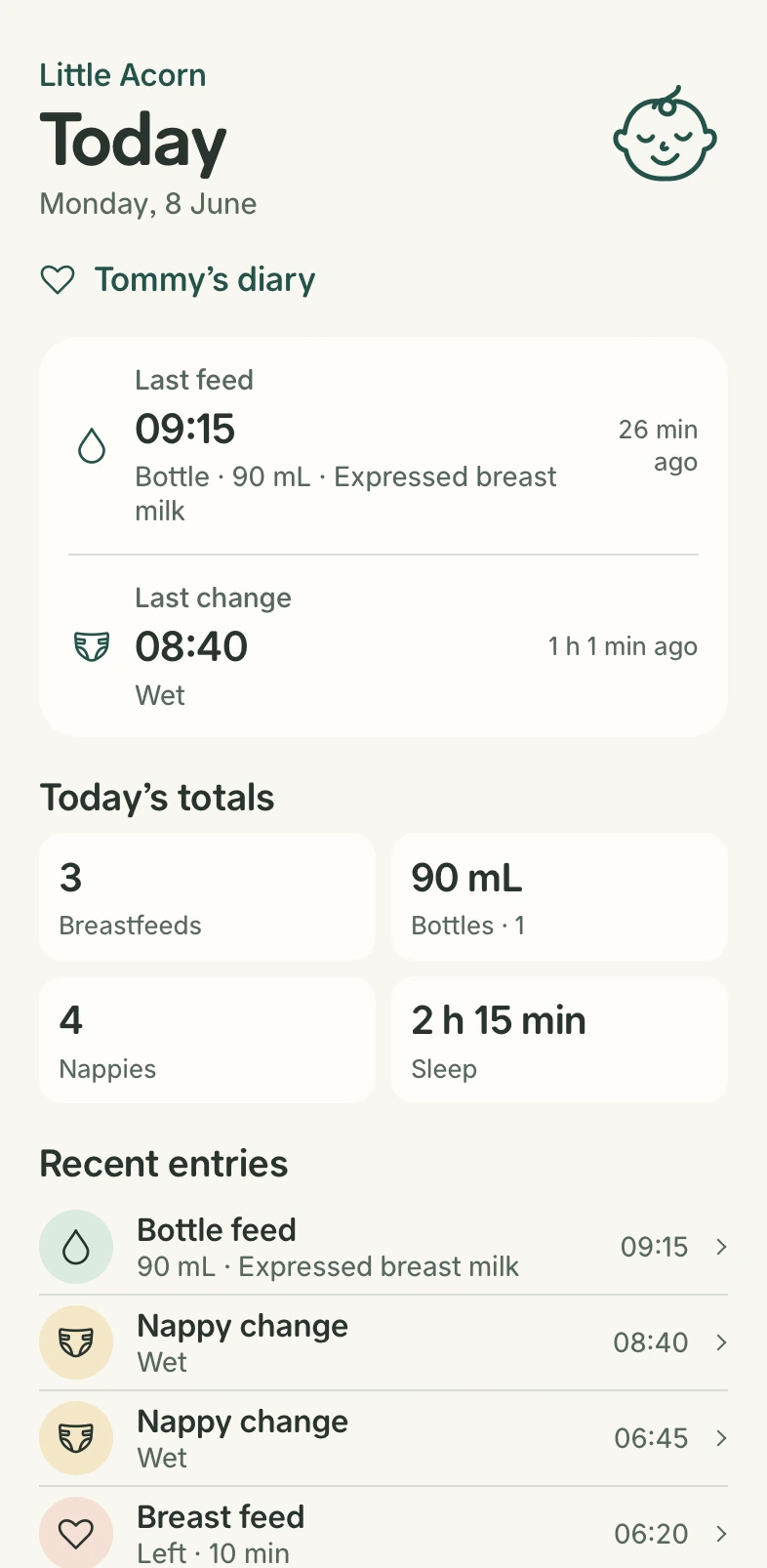
Open Today at three in the morning and the last feed is right there. See how long your baby has been asleep or which side to start on next.
Tap a daily total to look back through the bottles, changes or naps you recorded.
Twins asleep at different times? Each baby has their own timers, notes and history.
Add the bottle afterwards, correct a time or leave a note while it’s fresh in your mind.
When your midwife asks how feeding went this week, you can bring the page with you. Choose a few days in History and share a PDF with daily totals, or a CSV of individual entries. Your notes go with it only if you choose.
Little Acorn follows HSE and NHS guidance on feeding, nappies and safer sleep. When you record a bottle, for example, there’s room for the amount your baby drank, with no target to meet.
In Settings, you’ll find links to the guidance for the activities you track, along with local resources for Scotland, Wales and Northern Ireland.
Every baby in your family gets a diary. Logging, timers, history, reports and file backups are all included, with no account to set up.
Get Little AcornPay once for sync or sharing. Prices shown for Ireland.
To buy an access code, email hello@littleacorn.app.
I’m a dad of two, and I built Little Acorn here in Ireland for my wife and me. I wanted a diary we could fill in with one hand while we held our baby with the other.
Whichever of us took the next feed could see how the night had gone. I hope it makes it a little easier for you to say, “You go back to bed, love. I’ve got this one.”
Jordan Harrison
hello@littleacorn.appOn iPhone, join the beta on TestFlight.While the Android release is in testing, invited families can join the Google Play test.
You can log a feed or start a timer offline in the iPhone and Android apps. If you use the web diary, open it online once first. Cloud Sync sends your changes when you reconnect.
Yes. Choose Dark in Settings, keep the diary in Light or let it match your device.
Open Backup & sync in Settings to save a family backup. It includes your babies’ notes and running timers. You can include activities you’ve hidden, too. On your new device, choose the restore option on the welcome screen and open the backup file, even offline.
Your web diary lives in this browser. Save a backup before you clear it, and use your own browser profile on a shared computer.
With partner sharing, invite one person using their email address and give them the invitation code. They sign in with that address to join. Either of you can end sharing in Settings. You can both record feeds and finish timers from your own phones.
Your upgrades belong to your Little Acorn account. Sign in with the same email to use them on another device. To buy an access code, email hello@littleacorn.app.
In Settings you can rename a baby, remove one child’s diary or clear the whole family diary. You’ll need to type DELETE to confirm a deletion. If you use Cloud Sync, you can also delete your account.